Use case · Freelance / solo consultants
Time tracking made for freelance consultants, not agencies
Stop rebuilding your week from memory in spreadsheets. Tracksy helps solo consultants capture every billable hour, see exactly where their time goes, and turn it into clean invoices in a few clicks.
Stop losing hours to memory and manual logs
Most consultants don't lose money on their rate.
They lose it on untracked time.
Rebuilding your week from emails, calls, and DMs leads to:
- •quick calls that never get logged
- •short "can we just jump on Zoom?" meetings that stay off the invoice
- •vague "I think it was 3 hours" line items at the end of the month
With Tracksy, you replace this with a simple, repeatable system:
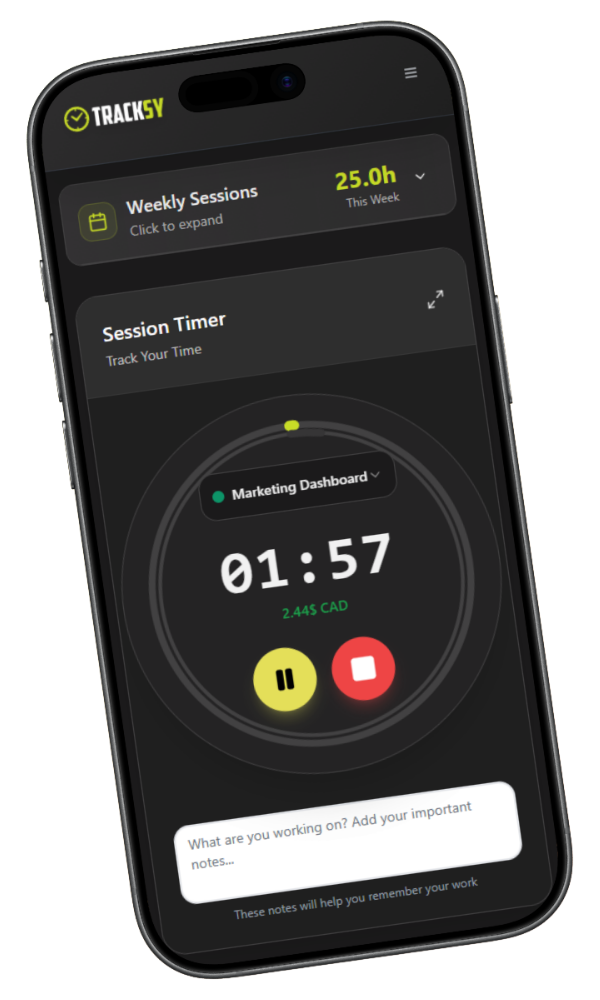
- start a timer in one click when you jump into client work
- capture ad-hoc tasks with fast manual entries
- get gentle reminders when you haven't logged time in a while
You don't need a giant timesheet.
You need a tool that makes logging the next minute of work effortless.
Track every client, project, and task in one place
Juggling multiple clients is normal in consulting.
The hard part is knowing where your day actually went.
Clients
each company or person you work with
Projects
engagements, retainers, or major workstreams
Tasks/Tags
calls, workshops, strategy, implementation, etc.
You can:
- switch between clients all day without losing track of your time
- see, at a glance, how many hours you've done per project this week or month
- keep admin, prep, and delivery separated so you see what really drives revenue
No more digging through emails to explain "where the time went".
It's all logged as you go.
Bill accurately for hourly, fixed-fee, and retainer work
However you price your consulting, you win when your time tracking matches your billing model.
Hourly engagements
- log every call, meeting, and async work against the right client
- apply the correct hourly rate automatically when you invoice
- avoid the classic "I forgot to add that extra call" problem
Fixed-fee projects
- track time even if the client pays a flat fee
- see how many hours a project is actually taking vs what you planned
- use real numbers to adjust your scope or pricing next time
Retainers
- track hours against a monthly cap (e.g. 10h / 20h / 40h)
- see when a client is close to using their retainer
- decide if you upsell, roll over, or reset based on data
Time tracking isn't just about billing more.
It's about making sure fixed-fee work and retainers don't quietly eat your margins.
Show clients exactly how you spent their budget
Clients don't just want an invoice.
They want to feel confident that their money was well spent.
Tracksy helps you generate client-friendly time reports:
- grouped by client, project, and task
- with clear descriptions they can actually understand
- covering the exact period you're invoicing for
You can:
- attach a report to your invoice for full transparency
- use it as a talking point in monthly review calls
- reduce back-and-forth about "why this invoice is higher this month"
When your time tracking is clean, conversations about money get easier.
How Tracksy fits into a real consulting week
Monday
Start a timer when you jump into Client A's strategy doc; log a quick 30-minute call with Client B using a fast manual entry.
Wednesday
Switch between three clients in the same afternoon; Tracksy keeps your hours cleanly separated by client and project.
Friday
Open Tracksy and instantly see:
- • how many hours you've done per client
- • which retainers are close to their cap
- • which projects are going over what you estimated
At the end of the month, your invoices are built from actual time, not guesswork.
Try Tracksy on your next consulting project
You don't need to rebuild your entire workflow to see if Tracksy fits.
Just run your next project or retainer through it and compare:
- how many hours you would have forgotten
- how much easier it is to build the invoice
- how clear your view of profitability becomes
By the end of the week, you'll know exactly how many billable hours you recovered.
FAQ – Time tracking for freelance consultants
Do I have to change my entire workflow to use Tracksy?
No. You can start by tracking just one client or one project inside Tracksy. Once you're comfortable, you can move the rest of your work over.
Can I still use spreadsheets if I want?
Yes. Many consultants keep spreadsheets for forecasts and planning. Tracksy simply becomes the source of truth for actual hours, which you can export or reference in your existing files.
Does Tracksy take screenshots or spy on me?
No. Tracksy is built for solo consultants, not for employee surveillance. There are no screenshots, no keystroke tracking, no creepy monitoring—just honest time tracking for better billing and decisions.
What if I work on both hourly and fixed-fee projects?
That's exactly the reality Tracksy is built for. You can track time on any type of engagement and still use the data to: invoice hourly work, check profitability on fixed-fee work, and make better calls on your retainers.
Will this replace my accounting tool?
No. Tracksy is not a full accounting suite—and that's on purpose. It focuses on: tracking your time, turning it into clean invoices, and helping you see which clients/projects are profitable. Tracksy sits between your calendar, your work, and your accounting, making sure your time turns into revenue.
What to do next
If any of this feels familiar:
- • you're guessing how many hours you worked last month
- • you're underbilling because you forget "small" tasks
- • you're not sure which clients are truly worth your time
Then Tracksy is designed for you.
- 1Start a free trial and add your current clients
- 2Track one full week of consulting work inside Tracksy
- 3Compare your invoice and your numbers with what you used to do
If Tracksy helps you recover even one lost hour per month, it more than pays for itself.
READY TO START?
Join thousands of freelancers who trust Tracksy
Start your 14-day free trial today. No credit card required. 2-minute setup.